One code on the fridge. One list for the whole house.
Stick the card on the fridge door. Everyone scans it, picks their name, and adds what they need. You shop from one list that's already sorted by aisle.
Works on any phone with a camera. Nothing to install.
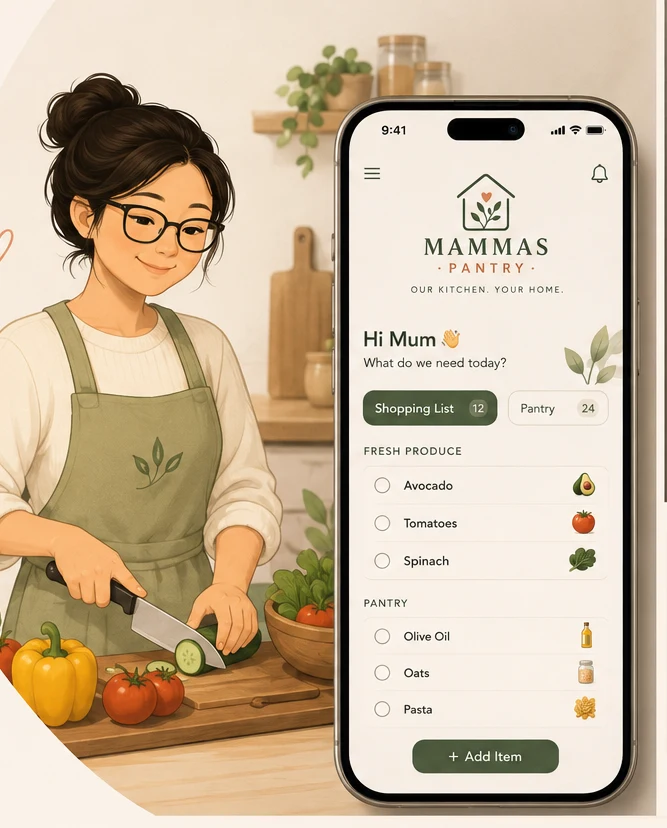
The list is never where the shopping happens.
It's on the back of an envelope, in someone's Notes app, and half of it is in a text message you've already scrolled past.
Four steps, then you never set it up again.
The whole thing runs off one printed card and everybody's phone camera.
Print the card
Your list comes with a fridge card ready to print. Magnet it to the door at eye level, where the list used to live anyway.
Everyone scans once
Phone camera on the code, list opens. They pick their name once and their phone remembers it. No account, no password, no download.
The house adds things
Whoever finds the empty packet adds it, right then. Each item files itself into the right aisle and shows who asked for it.
You shop from one list
Open the Control Room, work down the aisles, tick as you go. Urgent stuff is flagged and the staples that ran out are already on there.
Our Kitchen
Scan me. Add what we need.
Anyone in the house — one scan, straight to the list.
A control room for the kitchen.
Same idea we use to run construction sites, pointed at the fridge: one screen that tells you where things stand before you've read a single line.
The Control Room
One glance tells you whether this is a today job or a Saturday job. Everything else is detail underneath it.
- A plain-English verdict: shop today, shop soon, or all good
- What's on the list, what's urgent, which staples ran out
- The list broken down by aisle, so you know the shape of the trip
- Who added what, so nobody's requests quietly disappear
The List
Type "nappies" and it files itself under Baby & Health. Type "sourdough" and it lands in Bakery. You shop down the aisles instead of zig-zagging the store.
- Sorts itself into supermarket aisles as things are added
- Flag anything urgent so it can't get lost in a long list
- If two people add milk, it stays one line — not two
- Tick items into the trolley as you go, clear them at the checkout
The Pantry
The stuff you always keep — milk, bread, coffee, toilet paper. Mark it Low or Out the moment you notice, and it's waiting on the list next time you shop.
- Two taps to mark a staple Low or Out — anyone can do it
- One button pulls everything low or out onto the list
- Skips whatever's already on there, so nothing doubles up
- Anything marked Out comes across flagged urgent
The things people ask first.
Does everyone need to download an app?
No. The code opens a web page in whatever browser their phone already has. That's the whole point — the moment it needs an app and a password, half the household never uses it.
Do the kids need accounts?
No accounts at all. They scan, tap their name once, and that phone remembers who they are. Their name shows next to anything they add, so you know who asked for the Milo.
What if we're not all on the same wi-fi?
Doesn't matter. The list lives online, so someone can add to it from work, from school pickup, or standing in front of the open fridge.
Can I use it for something other than groceries?
Plenty do. The same card works for a hardware run, party supplies, or a holiday packing list — it's a shared list that anybody can reach in two seconds.
What does it cost?
Nothing while we're testing it with real households. If that changes, you'll be told before it does, not after.
Who can see our list?
Only people you give the link or the code to. It isn't listed anywhere public and it isn't searchable. Anyone holding the card can add to the list, which is exactly what you want on a fridge door — so don't hand the card to the neighbourhood.
Put it on the fridge this week.
Have a play with a real list first — nothing to sign up for, and it won't touch anything of yours.